Html Editors
HTML EDITORS
All you need is just a simple text editor to learn HTML. Web pages are created with this simple code editor or text editors as its famously known. You can use Notepad or visual studio code as a text editor. In this tutorial, we are going to be using visual studio as our text editor.
Note for this tutorial it will be wise to use Google Chrome to display our content. So, I suggest you download it here if you don’t already have it.
Step 1 - Download You can visit the official visit for google visual studio code editor here.
Step 2 - installation Launch the program once you have downloaded them and install it with default settings (just keep clicking next until it says finish. Then don’t forget to click the finish).
Step 3 – creating your first HTML page
1. Click on the icon of the installed visual studio program and run it.
2. Close the “Welcome” tab
3. Create a new file by clicking “file” and “new file”
4. Write the code below on your text editor
<!DOCTYPE html>
<html>
  <head>
    <title>Page Title</title>
  </head>
  <body>
    <h1>My First Heading</h1>
    <p>My first paragraph.</p>
  </body>
</html>
My First Heading
My first paragraph.
5. Save the file by clicking the “file” and “save as”
6. Give a name to your file. For example, “index” (whatever you wish to call it) and from the option choose “HTML”. Then click the “save” button.
7. Open the saved html file in your Chrome browser by doubling clicking, or right-clicking and choosing “open with – chrome”
Congratulations! You have created your first web page.
Create Stunning Websites and Web Apps
Building different custom components in React for your web apps or websites can get very stressful. That's why we decided to build contrast. We have put together a UI kit with over 10000+ components, 5 admin dashboards and 23 additional different pages template for building almost any type of web app or webpage into a single product called Contrast Pro. Try contrast pro!
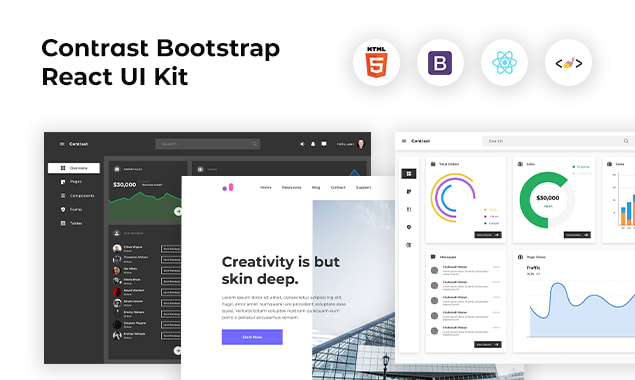
Contrast React Bootstrap PRO is a Multipurpose pro template, UI kit to build your next landing, admin, SAAS, a prelaunch, etc project with a clean, well-documented, well-crafted template and UI components. Learn more about Contrast Pro
RESOURCES
CSS Colors, Backgrounds, Borders, Margins and Padding
Differences Between Tailwind CSS and Bootstrap
Differences between Tailwind CSS and SASS
All you need to know about Html Elements
HTML File path, Charset and Meta
Including JavaScript in your HTML project.